Home Services Technology Consultation Web Design Software & Web Apps AI Agents & Automation Business IT Support Custom PC Builds Gaming PC Builds Servers & Infrastructure Social Media Repairs Repair Cost Estimator Pricing Our Work Live Demos Projects & Media Get Support Now Free Tools Tech News Blog About FAQ Contact
Get a Quote 085 165 0606
VMware · Proxmox · Windows Server

Servers & Infrastructure

Physical and virtual servers built from the ground up — planned, racked, cabled, configured and documented. From a single office server to a virtualised environment with tested backups.

✓ Recovery tested, not assumed ✓ Documented handover ✓ Setup from €499 + hardware at cost
Does a small business still need a server?

Often not. A five-person business on Microsoft 365 with files in SharePoint usually does not need one. A server still earns its place for heavy local files, database-driven software, CCTV, virtualisation, or where work cannot stop when the broadband does. Installation and setup runs €499–€1,199 plus hardware at cost.

What gets built

From bare metal to "it just works"

Hardware specced and assembled, hypervisor installed, VMs provisioned, storage and networking configured, backups running and verified — then documented so any future engineer can pick it up.

VMware ESXiProxmox VEWindows ServerActive DirectoryVeeamTrueNASRAID / ZFSUPS
Server pricing →
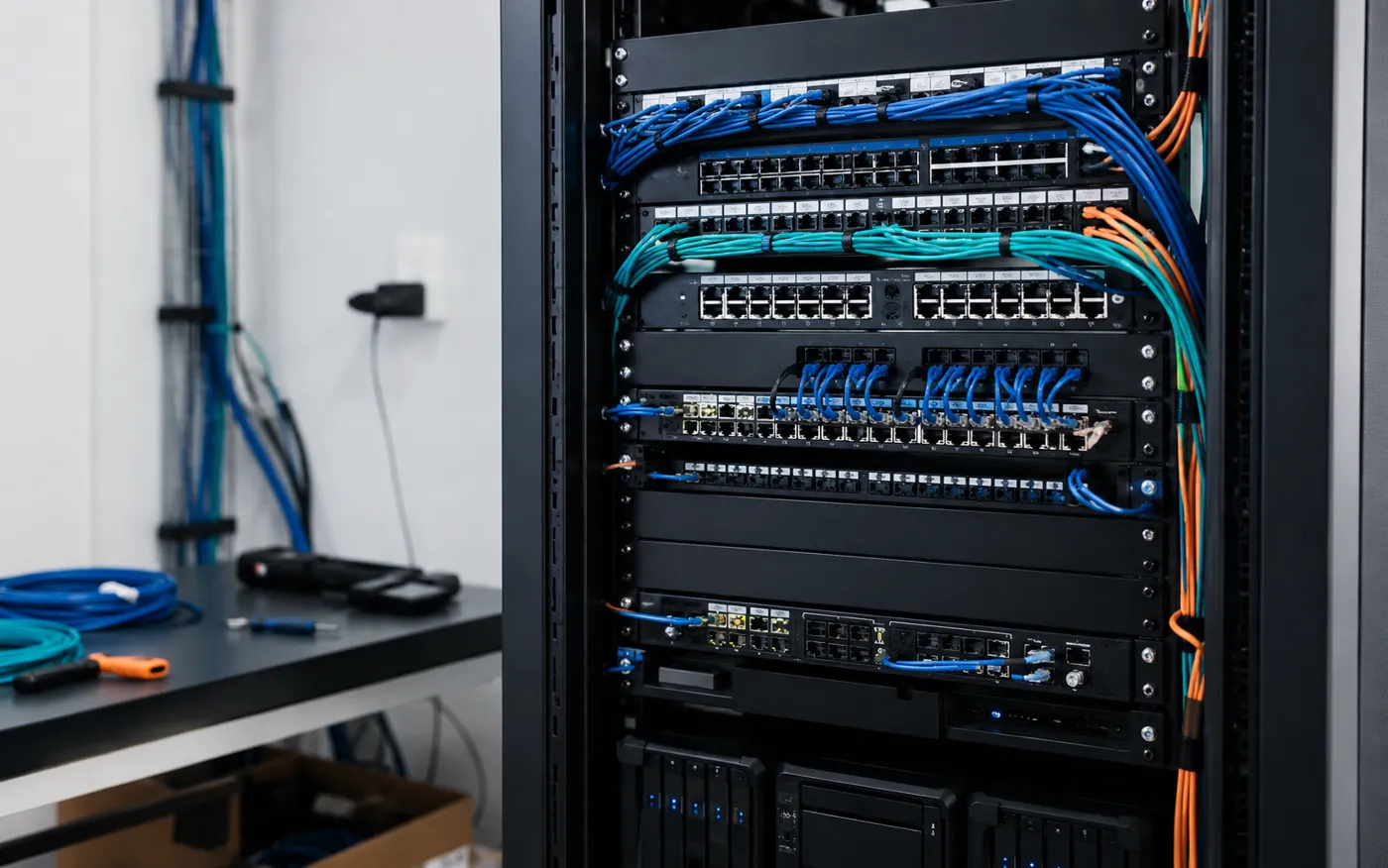
Server rack with neat cable management
Interactive

What would your server cost?

Pick the closest fit — hardware at current market prices plus a clear install figure.

Office Server

€2,549 – €4,099 installed

Hardware at cost + clear labour. Every build includes documentation and a tested backup before sign-off.

Capabilities

Server work, end to end

Virtualisation

VMware ESXi and Proxmox hosts running multiple VMs on one machine — less hardware, more resilience, snapshots before every change.

Windows Server & AD

Domain controllers, Active Directory, file shares, group policy and user management — set up properly from day one.

Storage & NAS

RAID and ZFS storage, Synology/QNAP/TrueNAS deployment, quotas and shares organised the way your team works.

Backup & DR

Veeam backups to local and cloud targets, with restores actually tested — you'll know your recovery time before you need it.

Rack Builds

Physical rack installation — firewall, switching, patch panels, UPS and cable management neat enough to photograph.

Home Labs

Proxmox and NAS home lab servers for tinkerers and self-hosters — specced to budget, built to be played with.

How it works

Planned, built, proven

Requirements chat

What runs on it, how many users, how much data, what happens if it dies — the honest questions first.

Design & quote

A written spec and fixed quote — hardware at cost, labour clear, no surprise line items.

Build & configure

Assembled, installed, patched, secured and burn-in tested before it ever touches production.

Document & hand over

Full documentation, admin credentials handed over securely, and a tested backup before sign-off.

Server questions

Do you actually need a server?

Often not — and I'll say so. If you are five people on Microsoft 365 with files in SharePoint, a server is a box that costs money and needs minding. Where one still earns its place is heavy local files, line-of-business software that wants a database, CCTV, a virtualisation host, or a business that cannot afford to stop when the broadband does.
Installation and setup runs €499–€1,199 depending on roles — Windows Server, Active Directory, file and print, backup integration, remote access. Hardware is separate and quoted at cost. A home lab or small NAS-based setup starts lower, from around €989 all in, and does more than most people expect.
Windows Server where you need Active Directory and Windows-native roles. Proxmox where you want virtualisation without licence cost and are happy with a Linux-based host — it is what I run myself. VMware ESXi where it is already in place and working. The right answer is usually the one your existing software and your budget dictate, not the one with the best marketing.
A UPS is not optional on a server, and it needs to be configured to shut the machine down cleanly rather than just delay the crash by nine minutes. Rural Ireland makes this less theoretical than it sounds. Pair it with a tested off-site backup and a power cut becomes an inconvenience instead of an incident.
Usually, yes. Old physical servers can be converted to virtual machines and consolidated onto one modern host, which cuts power, noise, hardware risk and the number of things that can fail. It also makes backup and disaster recovery dramatically simpler, because a whole machine becomes a file you can restore.
Either you, with documentation and a walkthrough, or me on a retainer from €249 a month with monitoring and patching. What I won't do is hand over a server with no notes and no monitoring and call that a finished job.

Server due an upgrade — or a first one?

Describe what your business runs on today and you'll get an honest recommendation: upgrade, virtualise, or leave well alone.